

Augmented Reality in E-Commerce: Why It’s No Longer Optional
After two decades working at the intersection of digital marketing, tech, and consumer behavior, I’ve seen plenty of trends come and go. But every once in a while, something sticks—something that doesn’t just offer a marginal lift in performance, but reshapes how people engage with brands. Augmented Reality (AR) is one of those shifts.
Over the past few years, AR has evolved from a novelty used by early adopters into a core part of how shoppers explore products, visualize outcomes, and make confident buying decisions. Major players like IKEA and Warby Parker were early to lean in, using AR to bridge the gap between the digital shelf and the real world. Now, platforms like Shopify and 8thWall are making it easier than ever for brands of all sizes to bring AR experiences to life—without needing to build a custom app or hire a 3D team from scratch.
This isn’t about chasing shiny objects. It’s about solving the fundamental problems of e-commerce: customers can’t touch your products, try them on, or see how they fit into their lives. AR changes that. It’s immersive, intuitive, and when done right, incredibly effective at boosting engagement, trust, and conversion rates.
In this guide, I’ll walk you through how to practically implement AR in your e-commerce business—from choosing the right tech stack to integrating with your store, optimizing the experience, and promoting it effectively. Whether you’re running a DTC brand, managing a client portfolio, or looking to scale your tech stack as a growth marketer, this piece will give you a hands-on roadmap based on real experience and hard-won lessons.
Let’s get into how AR works, where it fits, and most importantly, how you can use it now to drive real results.
Understanding Augmented Reality in E-Commerce
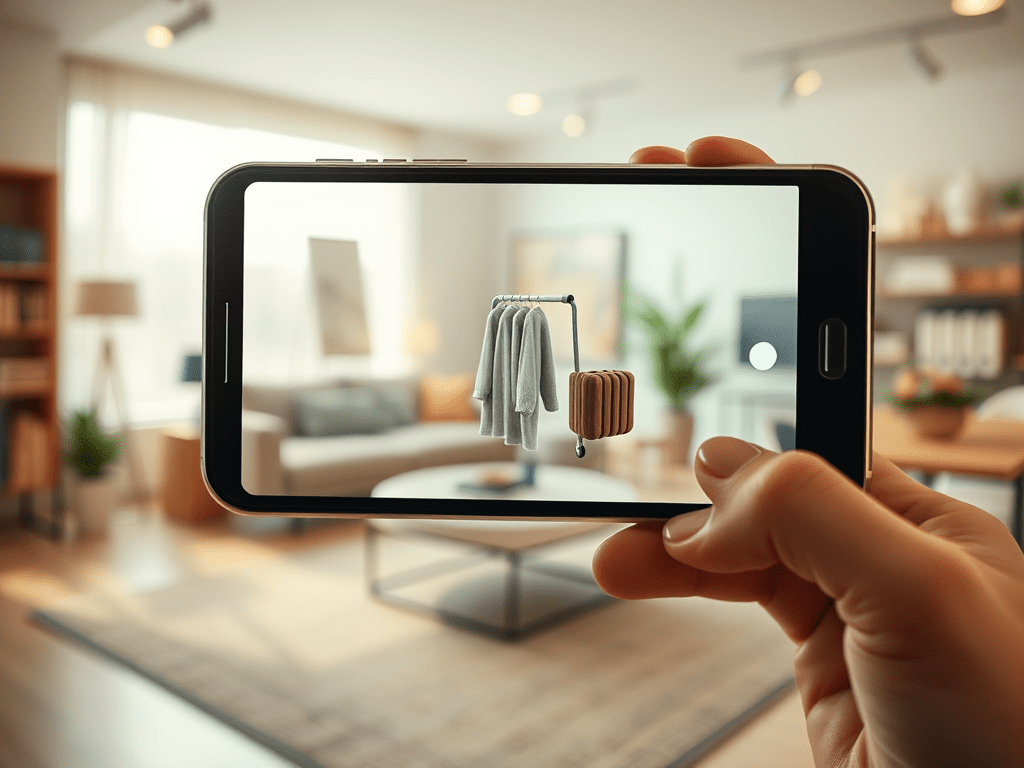
Augmented Reality (AR) blends digital content with the physical world in real time. In the context of e-commerce, that means letting customers see products in their environment—on their face, in their living room, on their desk—without ever stepping into a store. This interaction creates a deeper connection between shopper and product, reducing friction, hesitation, and ultimately, returns.
What Is AR (and What Isn’t)?
AR isn’t Virtual Reality (VR). Where Virtual Reality requires a headset and transports users to a fully digital space, AR layers digital information onto a user’s real-world surroundings, typically via a smartphone or tablet. It also differs from Mixed Reality (MR), which involves more advanced sensors and spatial computing (think Microsoft HoloLens).
In e-commerce, AR generally falls into a few categories:
- Virtual try-ons for fashion and beauty (e.g., L’Oréal, Warby Parker)
- Room placement previews for furniture and décor (e.g., IKEA Place, Wayfair’s View in Room)
- Interactive product demos, like seeing how a coffee machine looks on your counter
- Gamified experiences, such as branded AR filters on Snapchat or Instagram
Why Consumers Want It
AR isn’t just a gimmick—it aligns perfectly with how people shop today. With over 100 million consumers using AR while shopping online in the U.S. alone (Statista), it’s quickly becoming an expected feature, not a bonus.
Benefits include:
- Confidence before purchase – Seeing how something fits into your real world dramatically reduces uncertainty.
- Emotional connection – Trying on sunglasses virtually or “placing” a new couch in your living room creates a psychological sense of ownership before buying.
- Reduced returns – With a more accurate preview, customers make better decisions. Shopify reports that products viewed in AR saw a 40% reduction in returns.
The Business Impact
From a business standpoint, AR is more than a UX improvement—it’s a conversion tool. According to Deloitte, AR experiences can increase conversion rates by up to 94%. That stat alone should be enough to warrant a second look.
Plus, modern tools make this more accessible than ever. You don’t need to build from scratch. Platforms like 8thWall, Zakeke, and CGTrader’s ARsenal offer plug-and-play AR tools that work with existing platforms like Shopify, WooCommerce, and BigCommerce.
In short, AR removes one of e-commerce’s biggest barriers: the inability to interact with products. And when you reduce that barrier, you close more sales.
Strategic Planning: Is AR Right for Your E-Commerce Business?
Before diving into development or signing up for a new platform, the first step in using AR effectively is to evaluate whether it aligns with your products, customers, and growth stage. Not every business needs AR right now—but for the ones that do, it can be a serious unlock.
🔍 Product Suitability: What Works with AR
From my experience, AR works best when the product’s size, shape, or fit significantly impacts purchasing decisions. If you’re selling:
- Furniture or home goods, customers want to preview items in their space
- Eyewear, hats, or makeup, shoppers want to see fit or tone match
- Footwear and fashion, they want to visualize how it looks on them
- Large appliances or electronics, they want to check scale and design
On the other hand, if you sell consumables, low-cost accessories, or items that don’t benefit visually from AR, it may not deliver much ROI.
You can test demand by surveying customers or looking at heatmaps—if users spend time on size guides or return pages, AR may help.
👥 Audience Readiness
Not all demographics engage with AR the same way. Younger audiences (Millennials and Gen Z) are far more likely to interact with WebAR via mobile, while older consumers might need clearer onboarding. If your shoppers are active on Instagram or Snapchat, the AR entry point can be social ads or native camera filters—especially with platforms like Meta Spark or Snap AR.
If your brand already uses UGC or influencer marketing, integrating AR try-ons or product previews can extend that engagement significantly.
💰 ROI Expectations
Let’s be honest—building AR content isn’t free. But neither are returns, abandoned carts, or customer support. When assessing ROI, look beyond direct conversion and consider:
- Return rate reductions
- Time on page increases
- Lift in CTRs from AR-powered ads
- Social sharing / virality of the AR experience
Case in point: Sephora’s Virtual Artist helped reduce returns while driving more engagement from mobile shoppers. The app showed customers how different products looked on their face before purchasing—building trust and increasing conversion.
If you’re not sure how to model this, start with your current product return rate and cart abandonment data. Then layer in benchmark improvements from similar businesses. AR is often more cost-effective than expected when tied directly to a business case.
📊 Small Test, Big Signal
When I worked with a consumer brand in the furniture space, we started with one simple WebAR tool showing 3D product placement in the room. We tested it against a traditional product page and saw a 23% improvement in time-on-page and a measurable uptick in conversion—even with a limited test. That was enough to justify rolling it out sitewide.
You don’t need a fully immersive showroom to start. Pick one product, run a test, and compare the lift.
Choosing the Right AR Technology Stack
Once you’ve determined AR is the right move for your business, the next step is selecting the right tools to build, deploy, and scale your experience. Fortunately, the AR landscape has matured—there are now reliable, cost-effective platforms for every business stage, from bootstrapped Shopify stores to enterprise-level commerce operations.
🧱 Core Building Blocks of an AR Stack
At its simplest, an AR technology stack for e-commerce includes:
- 3D Asset Creation or Capture
- AR Viewer or Engine
- Integration Layer (e.g., with your CMS or e-commerce platform)
- Hosting and Delivery (WebAR or App-based)
- Analytics and Tracking
Let’s break those down with real options and links you can explore.
1. 3D Model Creation
This is the foundation—AR is nothing without high-quality 3D assets. There are three ways to approach this:
- Photogrammetry: Capture real products and convert them into 3D using tools like RealityCapture, or even Polycam for quick scanning via iPhone.
- Manual 3D Modeling: Hire a designer or use platforms like Blender (free but complex), or outsource to a service like CGTrader.
- Product Visualization Services: Some AR platforms, like Zakeke, include 3D creation services baked in.
Pro tip: Consistency is key. Your AR experience is only as good as your worst asset. Keep lighting, scale, and file size in mind.
2. WebAR Platforms (No App Required)
For most e-commerce brands, WebAR is the preferred delivery method—users just tap a link or button and view AR directly in their mobile browser.
Top tools to consider:
- 8thWall: Advanced WebAR capabilities with robust scripting and analytics—ideal for agencies or custom dev.
- ZapWorks: Drag-and-drop creation tools with WebAR support, perfect for non-developers.
- Vossle: No-code AR platform for quick virtual try-ons, supports Shopify and WooCommerce.
- Banuba: Specializes in face tracking and virtual try-ons for beauty and eyewear brands.
WebAR avoids friction—no app downloads—and tends to have higher engagement and shareability across social and paid media.
3. E-Commerce Integration
You’ll want your AR viewer to connect directly with your product pages. Look for:
- Shopify AR: Built-in support for .usdz and .glb files. Seamless display in product pages and compatible with iOS Quick Look.
- WooCommerce AR: Via plugins like Augmented Reality for WooCommerce.
- BigCommerce + Threekit: Great for customizable products or enterprise builds.
Also check that your product data (SKU, price, variants) syncs correctly with your AR experience to avoid customer confusion.
4. App-Based AR (if you need it)
While WebAR is ideal for most users, some brands still opt for app-based AR for performance or offline access. Consider:
- Unity: The gold standard for immersive, custom AR apps.
- Lens Studio: Ideal for social-first campaigns via Snapchat.
- Meta Spark Studio: The best option for Facebook and Instagram filter-based AR.
If you already have a mobile app with decent install rates, app-based AR might add value—especially if your experience is part of a broader ecosystem.
5. Analytics & Heatmaps
AR without measurement is just eye candy. At minimum, you should track:
- AR views and dwell time
- Add-to-cart actions from AR
- Conversion rate differences between AR and non-AR users
- Device type and performance issues
Use platforms like:
- Google Analytics 4: Custom events for AR interaction
- 8thWall’s analytics dashboard: Built-in performance tracking
- Hotjar: Works with AR pages to capture scroll and engagement behavior
In short: don’t overbuild. Start with what solves a current problem—high returns, low confidence, long decision cycles—and scale up from there.
How to Create and Deploy Your First AR Product Experience
Bringing AR to life for your e-commerce brand, step-by-step.
Launching your first AR experience doesn’t have to be overwhelming. Whether you’re working with a small catalog or a large DTC brand, the key is to start lean, build strategically, and measure results. Here’s the framework I’ve used with multiple brands to move from idea to live AR in a matter of weeks.
🧭 Step 1: Select Your Pilot Product
Start with one product that meets these three criteria:
- Visual complexity – It’s hard to explain with just photos
- Purchase hesitation – Customers often ask questions or return this item
- High volume – It’s a best-seller or has strong potential
For example, I once worked with a home decor brand that launched AR for its most returned product: a large mirror. The size and look varied by room, and customers couldn’t visualize it online. AR solved both problems—and reduced returns by over 25%.
🧰 Step 2: Build Your 3D Model
If you don’t already have a 3D asset, create one using:
- Polycam – For quick scanning of physical products
- CGTrader – To hire 3D artists for detailed models
- Zakeke – Includes product customization and built-in AR previews
Pro tip: Export in both .usdz (Apple) and .glb (Android/Web) formats to ensure cross-device compatibility.
🔌 Step 3: Choose a Deployment Platform
Your decision depends on your storefront. Here’s a quick breakdown:
| Platform | Best For | AR Tools |
|---|---|---|
| Shopify | SMB to mid-size brands | Shopify AR, Vossle |
| WooCommerce | WordPress sites | AR for WooCommerce, ZapWorks |
| Custom storefronts | Enterprise or headless builds | 8thWall, Unity |
AR assets can be hosted in the cloud and embedded via a button on your PDP (product detail page) with a CTA like “View in your space.”
📲 Step 4: Embed the AR Viewer
For WebAR, embed a dynamic button or QR code that launches the AR view in the user’s mobile browser.
Example embed using 8thWall:
htmlCopyEdit<a href="https://yourARlink.com" target="_blank">
  <button>View in AR</button>
</a>
You can also use QR Code Monkey to create QR codes linking to the AR view, which is perfect for packaging or in-store signage.
📈 Step 5: Track Performance
Use event tracking in Google Analytics or Mixpanel to monitor:
- AR views
- Session time with AR enabled
- Add-to-cart and conversion rate
- Product return rate for AR-enabled items
Here’s a GA4 event setup idea:
javascriptCopyEditgtag('event', 'ar_view', {
  'event_category': 'engagement',
  'event_label': 'Mirror AR View',
  'value': 1
});
Then compare these metrics against non-AR versions of the same product.
🔄 Step 6: Iterate Based on Data
After launch, gather both qualitative and quantitative feedback. Look for patterns:
- Are people sharing screenshots on social?
- Is there a spike in conversion on mobile?
- Are customers asking fewer size or fit questions?
Then, optimize:
- Simplify the UI (bigger buttons, shorter load times)
- Add a tutorial animation if users aren’t engaging
- Roll out AR to similar SKUs (especially top sellers or high return items)
Deep Dive into Use Cases: Fashion, Beauty, Furniture, Accessories, and More
Real-world AR applications in e-commerce—what works, what doesn’t, and what to expect.
AR isn’t one-size-fits-all. The most successful implementations are tailored to the product category, shopper behavior, and purchase context. Here’s how different industries are using AR to drive sales, reduce returns, and increase engagement—along with links to working examples.
👗 Fashion: Virtual Try-On for Apparel
Challenge: Apparel returns are notoriously high—often due to style, fit, or color misperceptions.
AR Solution: Virtual try-on mirrors the in-store experience, letting users see garments on a 3D model or on themselves (via webcam or mobile cam).
Leading Platforms:
- Zero10: High-end AR try-ons for digital fashion collections
- Banuba Face AR: Used by major fashion retailers for face- and body-based AR try-ons
- Reactive Reality: Offers full-body AR try-on tech, compatible with major e-commerce platforms
Example: H&M’s virtual fitting room allows shoppers to preview clothing on personalized avatars, improving confidence and time spent on-site.
My Take: Start with accessories (glasses, hats) before scaling to full apparel, unless your audience skews tech-savvy and mobile-first.
💄 Beauty: Real-Time Face Filters
Challenge: Makeup buyers want to see how shades look on their own skin tone—without going to a store.
AR Solution: Face-tracking AR renders lipstick, eyeshadow, blush, and more directly on the user’s face.
Top Tools:
- ModiFace: Used by L’Oréal, Sephora, and others
- Perfect Corp / YouCam: Powers AR beauty for brands like Estée Lauder and MAC
- Banuba Face AR: SDK for real-time virtual try-ons in mobile apps and websites
Example: Sephora Virtual Artist allows customers to try on thousands of products in real time via phone or webcam.
My Take: If you’re in beauty and not using AR, you’re behind. It’s one of the most proven use cases with measurable ROI in reduced returns and higher conversion.
🛋 Furniture: Place-in-Room Experiences
Challenge: Shoppers can’t visualize how a couch, desk, or dining set will look in their space.
AR Solution: “View in Your Room” AR lets users drop furniture into their real-world surroundings at true scale.
Best Tools:
- Shopify AR for furniture and home goods
- Augment for complex or configurable products
- Threekit for 3D product configuration + AR + virtual photography
- VNTANA: Enterprise-grade 3D asset optimization and AR
Example: Wayfair’s View in Room feature dramatically increased mobile conversions and reduced buyer hesitation.
My Take: AR is a killer feature in high-AOV furniture. Ensure models are high quality and accurately scaled. Consider offering measurement prompts in-app to improve precision.
👓 Accessories: Glasses, Watches, Jewelry
Challenge: Small, detailed items must be shown true to form. Fit and proportion matter a lot.
AR Solution: Face or wrist-tracking AR lets shoppers try before they buy.
Notable Tools:
- Ditto: For eyeglass virtual try-ons (used by Warby Parker)
- TrueFacet: Luxury watch AR try-on
- Tangiblee: Scalable AR for jewelry and small accessories
Example: Warby Parker’s app has become a case study in AR-driven DTC growth, with virtual try-ons translating directly into purchase confidence.
My Take: Keep load time fast and ensure product details (shine, scale, edge) are as close to real-life as possible. These details matter more here than in other categories.
🛠 Other Niches: Tools, Toys, Auto, and More
AR is expanding into:
- Tools: Showcasing size/fit (e.g., will this drill fit the space?)
- Toys & Collectibles: Gamified unboxing and interaction (e.g., Funko AR)
- Automotive: Interior previews and configuration
- DIY/Home Improvement: Paint color previews, appliance placements, or even AR user manuals
Example: Home Depot’s Project Color AR app helps users visualize paint on walls in real-time, reducing indecision and sample waste.
Strategies for Scaling AR: From Pilot to Full Catalog
Turning your first AR experience into a repeatable, revenue-driving engine.
Once your pilot product is live and showing results, it’s time to scale. This isn’t just about rolling out AR to every SKU—it’s about doing it sustainably, profitably, and with a process that minimizes complexity across your team. Below are the strategies I’ve used to grow AR coverage from a single product to entire catalogs.
🪜 Phase-Based Rollout Framework
Break your AR deployment into phases. This lets you gather data, test systems, and ensure your infrastructure (and team) can handle the scale.
Example rollout model:
- Phase 1 – Hero product: Start with 1–3 flagship SKUs
- Phase 2 – Core categories: Expand to your top 20–50 selling SKUs
- Phase 3 – Full range: Roll out to all products that benefit from spatial or interactive visualization
Use data from Phase 1 to inform:
- Which products convert best with AR
- Where user engagement is highest (desktop vs mobile, product category, funnel stage)
- What questions or friction points still exist post-AR deployment
🧱 Build a Reusable AR Content Pipeline
If you’re scaling across dozens (or hundreds) of products, you need an efficient 3D/AR asset workflow.
Recommended steps:
- Create an AR-ready asset checklist: model dimensions, lighting, textures, formats
- Standardize production specs (e.g., all
.glbmodels must be <5MB) - Partner with scalable 3D modeling services like CGTrader, Zakeke, or VNTANA
Pro tip: Store assets in a centralized DAM (Digital Asset Manager) that integrates with your CMS and storefront.
📤 Automate AR Deployment on Product Pages
For Shopify, consider apps like:
- Vossle AR – WebAR viewer, drag-and-drop integration
- Shopify AR – Native support for
.usdzand.glbformats - Zakeke – Combines 3D, AR, and product customization
For WooCommerce or headless setups, use tools like:
- 8thWall with custom embeds
- ZapWorks for widget-style integrations
- Threekit for enterprise catalogs with high variability
Use tags or metafields in your CMS to flag which products should display an AR button. This reduces manual work per SKU.
🧪 A/B Test AR Performance
Before full rollout, run A/B tests:
- Control group: Traditional PDP without AR
- Test group: Same product page, with AR functionality
Measure:
- Conversion rate lift
- Time on page
- Return rates
- Engagement metrics (clicks on “View in AR,” screenshots, social shares)
Use platforms like [Google Optimize (deprecated – consider alternatives like VWO or Convert)] for structured testing.
🔁 Create AR-Optimized Marketing Assets
Once AR is live, make it part of your funnel—not just your product page.
Use AR in:
- Email marketing – Embed AR CTA or preview GIFs
- Facebook/Instagram Ads – Use platforms like Meta Spark Studio to create AR filters and product previews
- QR codes – On packaging, in-store displays, or mailers that link to the AR experience
Example: MAC Cosmetics uses AR try-on previews in emails, increasing click-through by over 20%.
🛡️ Keep Legal, Compliance & Accessibility in Mind
Before full catalog deployment:
- Make sure AR content works on major mobile devices (iOS + Android)
- Ensure all text and instructions are readable, screen-reader accessible
- Avoid performance-killing file sizes (optimize models with RapidCompact)
- Provide an alternate experience for users who can’t access AR
Final Thought on Scaling: It’s a Team Sport
Assign clear roles across:
- Marketing: campaign use, messaging
- Product: tagging, AR eligibility
- Development: integration, testing
- Customer Support: answering questions around AR use
Invest in training and internal documentation to keep things smooth as your catalog grows.
Measuring ROI and Performance Metrics for AR Campaigns
How to track, analyze, and improve the business impact of AR in your e-commerce funnel.
Rolling out AR isn’t just about “looking cool.” It’s about improving bottom-line performance—higher conversions, fewer returns, stronger customer loyalty, and increased engagement. But to justify investment and optimize long-term strategy, you need the right metrics in place.
Here’s how I approach ROI tracking and analytics when deploying AR experiences for e-commerce.
📊 Core Metrics to Track
At a minimum, monitor these KPIs:
| Metric | Why It Matters |
|---|---|
| Conversion Rate (CR) | Measures the direct impact of AR on purchases |
| Average Order Value (AOV) | Larger, more confident purchases often follow AR usage |
| Return Rate | AR should reduce “buyer’s remorse” and sizing errors |
| Time on Page | Higher engagement typically leads to better conversion odds |
| AR View Rate | % of visitors who click to view the product in AR |
| AR Engagement Time | How long users interact with AR models |
| Screenshots/Shares | Indicates virality and brand amplification |
Use tools like Google Analytics 4 (GA4), Mixpanel, Hotjar, or Amplitude to track these metrics effectively.
📈 Example Benchmarks
From my experience, these are common AR performance lifts (your mileage may vary):
- Conversion Rate: +15–30% compared to non-AR product pages
- Time on Site: 1.5x to 2x longer session durations
- Return Rate Reduction: 20–40% in categories like furniture, beauty, and eyewear
- Email CTR (AR preview link): Up to +25% higher than static image campaigns
Case in Point: Shopify AR merchants have reported up to 94% higher conversion rates for products with AR visualization.
🧪 Attribution Tips: Isolating the AR Effect
To measure AR’s true impact, compare user cohorts:
- Group A: Visitors shown AR functionality
- Group B: Same product(s), no AR shown
Ensure these are split randomly (via A/B testing platform or traffic split) to avoid bias. You can also compare:
- Before vs after AR launch
- Devices with AR capability vs devices without (iOS vs older Android, etc.)
Pro tip: Filter your ecommerce funnel reports by “AR viewer initiated = yes” to isolate impact within GA4 or Mixpanel.
📉 When AR Underperforms: What to Check
If AR usage is high but conversions don’t move:
- ✅ Is the model accurate and realistic?
- ✅ Are load times fast on mobile?
- ✅ Is the CTA (“View in AR”) clearly visible and above the fold?
- ✅ Are users educated on how to use AR?
If AR usage is low:
- A/B test different placements for the AR button
- Add preview GIFs to show what AR looks like before clicking
- Educate users via onboarding popup or short video (e.g., “See this couch in your room in 2 clicks!”)
📁 Report Templates & Tools I Use
- Weekly AR Performance Dashboards (GA4 or Looker Studio)
- Heatmaps and Session Recordings via Hotjar
- Campaign-Level Tracking with UTM parameters when linking to AR from ads or email
- Survey Feedback Loop: Add a quick 1-question post-purchase survey to ask if AR helped the decision
🏆 How I Present AR ROI to Stakeholders
When reporting to leadership, I break it into:
- Hard numbers: lift in CR, revenue increase, return rate drop
- Soft metrics: time on page, engagement, screenshots
- Qualitative: customer feedback, product reviews referencing AR, social mentions
I often include short Loom videos walking through the live experience and analytics dashboards—it’s more impactful than static slides.
Best Practices for UX and AR Design in E-Commerce
How to create seamless, engaging AR experiences that drive conversions.
One of the most critical factors in ensuring that AR doesn’t just look impressive, but also drives business results, is a strong user experience (UX) design. AR features need to be intuitive, fast, and frictionless in order to enhance the user journey. A poorly designed AR experience can frustrate users, leading to abandonment, higher bounce rates, and lower conversions.
Here’s how to optimize the AR user experience for your customers.
🎯 Simple and Clear Call-to-Actions (CTAs)
Your AR feature should have a clear, visible CTA that encourages users to engage. Here’s what works:
- Positioning: Place the CTA above the fold—ideally near the product image or the “Add to Cart” button. Users should know exactly how to activate AR without searching for the option.
- Wording: Use action-oriented language like “See it in your space,” “View in AR,” or “Try before you buy.” Make sure the CTA reflects the ease of use (“Try now in 3 clicks”).
- Button Size: Ensure that the AR button stands out but doesn’t overwhelm the page layout. It should be visually distinct from other elements but not overshadow critical actions like purchasing.
⏱️ Speed is Everything
Performance is crucial. Slow load times will frustrate users and can lead to abandonment. Here’s how to optimize AR for speed:
- Preload AR Models: Use lightweight, pre-optimized 3D models (as mentioned in the scaling section) that load quickly and perform well even on lower-end devices.
- Avoid Heavy Graphics: Avoid loading unnecessary heavy graphics, textures, or models that could increase load time or cause glitches. Stick to optimized formats like
.glbor.usdzfor mobile and web. - Use Progressive Loading: Load AR content progressively, showing users a placeholder until the model is ready to view. This gives the user something to interact with while the AR scene loads.
- Optimize WebAR: Make sure to use WebAR platforms like 8th Wall or VNTANA to provide browser-based AR experiences that don’t require app downloads. This streamlines the user experience and improves accessibility.
📱 Optimize for Mobile
Since AR in e-commerce is predominantly used on mobile devices, it’s essential that your AR experiences are fully optimized for mobile. Here’s how:
- Responsive Design: Make sure the AR experience works on a wide variety of mobile devices, including different screen sizes. The layout and controls should adapt to both Android and iOS devices.
- Touch-Friendly Interfaces: Design all buttons, gestures, and controls to be large and easy to use on touch screens. Avoid making actions or buttons too small, which can lead to frustration.
- Battery Considerations: AR can drain battery life, so it’s important to give users a heads-up when they’re using the feature. Offer a low battery mode or keep AR assets lightweight to ensure the experience isn’t too taxing on their devices.
🎥 Visuals Matter: High-Quality 3D Models
The quality of your 3D models directly impacts how users perceive your products and whether they feel confident in their purchase. Consider these tips:
- Realistic Representation: Ensure that your 3D models are realistic and represent the product’s true look and feel, especially for texture, lighting, and size.
- Lighting & Shadows: Proper lighting and shadows can make or break an AR experience. Models should appear natural in the user’s environment, with lighting that matches the real world.
- Simple, Yet Detailed Models: While detail is important, keep the model’s polygon count low to optimize performance, particularly for mobile devices. Aim for a balance between high-quality visuals and smooth performance.
🔄 Interactive and Intuitive Features
AR shouldn’t just be a static 3D object on the screen—it should engage the user. These interactive features can enhance the experience:
- Product Customization: Allow users to interact with the AR model by changing colors, materials, or features. For example, a sofa brand could allow users to change the fabric or arm style of a model.
- Size and Scale: Enable users to resize or move the object within the AR scene. For furniture, this could mean showing the product in different areas of the user’s living room, allowing them to change the size or placement.
- Virtual Try-Ons: For fashion and beauty, consider integrating AR “try-ons” where users can see how the product (e.g., clothes, makeup) looks on them using facial or body recognition. Platforms like ModiFace or Perfect Corp offer these tools.
🔍 Easy Navigation and User Assistance
Sometimes users may need help navigating the AR experience. Make sure your design includes:
- Onboarding Tour or Tooltips: Guide users through how to use the AR feature with a short, interactive walkthrough. Keep it simple and visually intuitive.
- Help Button: A prominent help button can redirect users to an FAQ page or offer real-time chat support if they experience any issues with the AR feature.
- Error Handling: If something goes wrong (e.g., AR model won’t load), provide an immediate solution like an option to reload the AR or return to the product page.
🎯 Testing and Iteration
Finally, don’t assume that your AR experience is perfect right from the get-go. I recommend iterative testing with real users:
- User Testing: Conduct user testing on both desktop and mobile to ensure AR works across various screen sizes, operating systems, and environments.
- Continuous Improvement: Use heatmaps, session recordings, and A/B testing to continually refine the AR feature. Testing and tweaking are essential to maximizing engagement and reducing friction.
- Feedback Loops: Collect feedback from users after they engage with the AR experience. Ask about their satisfaction, what could be improved, and whether the AR feature helped them in their purchase decision.
Pro Tip: Combine AR with Augmented Marketing
AR can also be a part of your wider marketing ecosystem:
- Use AR in email marketing campaigns with direct AR preview links or “view in your space” CTAs.
- Add social media integrations—e.g., “Share your room with our AR couch” via Instagram stories or Snapchat.
- Leverage ads that offer AR experiences directly in the platform, such as Facebook’s AR try-on ads.
Challenges and Considerations for AR in E-Commerce
How to overcome obstacles and set realistic expectations for implementing AR.
While AR presents tremendous opportunities for e-commerce, it’s not without its challenges. From technical hurdles to user adoption, there are several key considerations to address before diving into an AR project. Understanding these challenges and knowing how to tackle them will ensure your AR integration delivers long-term value.
Let’s explore some of the most common challenges and how to overcome them.
🔧 Technical Limitations: Ensuring Smooth Integration
Implementing AR in e-commerce requires a sound technical foundation. Here are some technical hurdles that might arise and how to overcome them:
1. Device Compatibility
AR technology relies on specific hardware and software capabilities, which may not be present on all devices. For example, older smartphones or devices without AR-enabled capabilities may struggle to run the experience smoothly.
Solution:
To address device limitations, prioritize compatibility with a broad range of devices, particularly focusing on smartphones and tablets. Make sure to test your AR feature on multiple devices and offer a fallback experience for those that don’t support AR, such as providing a 360-degree view of the product instead.
2. 3D Model Optimization
High-quality 3D models are essential for AR, but they can also be data-heavy and slow to load if not optimized properly. Large model files can lead to slower load times, which negatively impact the user experience.
Solution:
Optimize your 3D models for mobile devices. Use file formats like .glb or .usdz that are lightweight and optimized for AR viewing. Tools like Sketchfab or Modelplace can help optimize models without sacrificing quality.
💸 High Development and Maintenance Costs
Developing a high-quality AR experience is resource-intensive. From hiring specialists to building AR-compatible websites or apps, the cost can add up quickly. Additionally, ongoing maintenance is required to ensure that the AR models stay updated and that the technology continues to run smoothly as devices and operating systems evolve.
Solution:
Start small with an MVP (Minimum Viable Product) AR experience, focusing on high-impact product categories that would benefit most from AR. Use AR platforms like 8th Wall or Vuforia that offer ready-to-use solutions and reduce the need for custom development. Over time, you can scale up as you see tangible results.
👥 User Adoption and Education
One of the main challenges in e-commerce AR is getting users to embrace the new technology. AR is still a relatively novel concept for some users, and they might be hesitant or unsure about how to use it. If the AR experience isn’t intuitive or requires too many steps, users may abandon the feature altogether.
Solution:
Educate your customers about how to use AR through:
- Onboarding tutorials or video guides
- Tooltips and pop-up prompts to explain how to activate AR
- In-app notifications or email campaigns to encourage users to try the AR feature
Additionally, make sure that the AR feature is simple and intuitive to use. Complex processes or lengthy interactions will drive users away, so aim to keep the experience smooth and engaging from start to finish.
📉 Balancing AR with User Intent
Not every shopper is looking to interact with an AR feature. Some prefer a straightforward shopping experience where they can quickly add items to their cart and move on. Overloading your site with AR may alienate users who aren’t interested in it, leading to slower page load times and cluttered interfaces.
Solution:
Ensure that AR is an optional, value-added feature that enhances the shopping experience without overshadowing the primary product and purchase flow. Integrate AR seamlessly within the product detail page, allowing users to engage with the feature at their discretion. By making AR optional, you avoid frustrating users who prefer a more traditional shopping experience.
📉 Tracking and Analytics Complexity
One of the benefits of AR is its ability to drive higher engagement, but tracking and measuring this engagement can be complex. The integration of AR into your marketing campaigns and e-commerce strategy means managing multiple data streams, which can be overwhelming to track and analyze.
Solution:
Use comprehensive analytics platforms, such as Google Analytics 4 (GA4), Mixpanel, or Amplitude, to track key AR metrics, including AR views, engagement, conversions, and more. Additionally, integrate AR tracking into your A/B testing platform to monitor the effectiveness of different AR experiences. By consistently analyzing AR performance and iterating on the design, you’ll ensure continued success.
⚖️ Overcoming Privacy and Security Concerns
With AR, you are collecting user data—sometimes in the form of user interactions, location data, and even facial recognition (in AR try-on experiences). This raises concerns about privacy and security, particularly regarding user consent and data protection.
Solution:
Make sure that your AR experience complies with data protection regulations, such as the GDPR (General Data Protection Regulation) in Europe or CCPA (California Consumer Privacy Act) in the U.S. Be transparent about the data you’re collecting and get explicit user consent before activating the AR functionality. Additionally, ensure that user data is securely stored and never shared with third parties without proper consent.
🔄 Continuous Testing and Iteration
AR is a constantly evolving technology, and what works today may not be as effective tomorrow. For your AR features to remain successful, you need to continuously test, update, and improve them. This includes monitoring performance, user feedback, and staying ahead of any changes in AR technology.
Solution:
Schedule regular updates for your AR models and features, ensuring they remain up to date with the latest devices and software updates. Use tools like UserTesting to gather real-time user feedback on AR experiences, and implement A/B testing to identify what drives the most engagement and conversions.
🏆 Balancing Expectations and Results
It’s easy to get excited about the potential of AR, but it’s essential to set realistic expectations. AR should be seen as a long-term strategy to improve customer engagement, increase conversions, and reduce returns, but it will take time to see measurable results.
Solution:
Start with small, achievable goals. Instead of trying to overhaul your entire e-commerce platform with AR, test it on a specific product category or high-margin item. Measure results based on relevant KPIs, and use these insights to inform future expansions of AR functionality.
The Future of AR in E-Commerce
How augmented reality is evolving and what’s next for e-commerce brands.
The future of AR in e-commerce is incredibly promising, with new advancements in technology continually reshaping how consumers shop. As AR continues to grow in popularity, it’s becoming an essential tool for brands looking to differentiate themselves in the crowded online marketplace. Let’s take a look at the trends and innovations that will shape the future of AR in e-commerce.
🧠 AI Integration with AR
One of the most exciting areas for AR in e-commerce is the integration of artificial intelligence (AI). AI can enhance the AR experience by making it more personalized and responsive to the user’s preferences. Here’s how AI can change the game:
1. Personalized AR Experiences
AI-powered AR will allow brands to offer hyper-personalized shopping experiences. For instance, AI can analyze a user’s shopping behavior, preferences, and previous purchases to recommend AR experiences that are tailored to them. Imagine a scenario where a shopper interacts with a virtual assistant in AR that suggests products based on their past preferences or even their current mood (using facial recognition AI).
Example:
With platforms like Vue.ai, brands can personalize product recommendations through AI and combine it with AR for try-on experiences, boosting conversion rates and enhancing customer satisfaction.
2. Enhanced Virtual Try-Ons
AI-powered AR try-on solutions will become more precise, using advanced body and face recognition algorithms to create more accurate virtual try-ons for fashion, beauty, and accessories. AI will track body shape, skin tone, and even the lighting of the environment, providing users with a more realistic experience.
Example:
Companies like FittingBox are already using AI to enhance virtual try-on solutions for eyewear, and future advancements will expand this to even more industries.
🚶♂️ AR and the Metaverse
The concept of the metaverse—immersive virtual worlds where users can interact with each other and digital objects—has gained significant traction in recent years. As the metaverse becomes more integrated with daily life, AR will play a critical role in bridging the gap between the physical and virtual worlds.
1. Virtual Shopping Malls and Stores
In the metaverse, AR could enable brands to set up fully immersive virtual stores where customers can walk around and interact with products in real-time. These virtual stores could be integrated with e-commerce platforms, allowing users to make purchases directly from within the metaverse environment.
Example:
Major companies like Nike and Gucci are already exploring virtual spaces and AR-driven environments to connect with consumers in immersive ways. As the metaverse evolves, e-commerce brands will increasingly incorporate AR to create dynamic, interactive shopping experiences in these virtual spaces.
2. Social Commerce in AR
Social commerce is a growing trend where social media platforms are used as direct sales channels. With the metaverse’s rise, AR will play an even greater role in social commerce, allowing users to engage with products in new ways, such as AR filters, try-ons, and virtual stores within social platforms.
Example:
Snapchat and Instagram are already using AR features like virtual try-ons, and these platforms will likely expand into the metaverse, offering even more integrated shopping experiences.
🎯 AR for Customer Service and Support
AR isn’t just a tool for product visualization—it can also revolutionize customer service. As brands look for ways to provide better customer experiences, AR can step in to support and guide users during their purchasing journey.
1. Virtual Product Assistance
Imagine a customer trying to assemble a complicated piece of furniture. Instead of following a long instruction manual, they can use AR to see step-by-step instructions in their real-world environment. AR will guide them through the process, highlighting the correct pieces and showing them exactly where to place them.
Example:
Brands like IKEA have already integrated AR into their shopping experience with tools like the IKEA Place app, which helps users visualize products in their space, and this could evolve to include more interactive features for assembly and setup.
2. Real-Time Assistance through AR
AR can also be used for live customer support. With AR-powered chatbots or video support, customers can receive real-time help in navigating a product, troubleshooting issues, or understanding how to use a product.
Example:
Platforms like Zebra Medical Vision have already started using AR for medical and technical support, offering real-time guidance for users in complex situations.
🚀 AR as an Evolving Marketing Channel
AR isn’t just for enhancing the shopping experience—it’s also becoming a new channel for marketing. As consumer expectations shift toward immersive and engaging experiences, brands will increasingly turn to AR for creative and interactive marketing campaigns.
1. Interactive AR Ads
Interactive AR ads will become more common, offering consumers the ability to engage with advertisements in an immersive and meaningful way. For example, instead of passively viewing an ad, consumers could interact with AR elements directly in their own environment, such as seeing how a product looks in their home before purchasing it.
Example:
Brands like Pepsi and L’Oreal have already experimented with AR-based advertising campaigns. As technology improves, these experiences will become more sophisticated and integrated into users’ daily lives.
2. AR for Events and Promotions
Brands will also use AR to host virtual events, exclusive promotions, or product launches. Imagine attending a virtual event where you can interact with AR-powered booths, try on products virtually, and even purchase directly from the event space.
Example:
Snapchat and Instagram have pioneered AR-based promotional campaigns, and these platforms will continue to expand this functionality, allowing brands to create even more engaging and interactive events for consumers.
🔄 AR Integration with Voice and Gesture Control
Looking ahead, AR will become even more intuitive and hands-free. Integrating AR with voice and gesture control will allow users to interact with the technology without touching their devices, making the experience even more immersive and frictionless.
1. Voice-Powered AR Shopping
Imagine being able to ask your device, “Show me this couch in my living room,” and have it appear instantly in your space using AR. Voice control will allow users to interact with AR seamlessly, without needing to touch or swipe on a screen.
Example:
Amazon and Google are already incorporating voice-powered shopping and assistant features into their ecosystems. Future AR experiences will likely integrate voice commands to make the process even more hands-free and user-friendly.
2. Gesture-Based AR Interaction
Gesture control will enable users to manipulate and interact with AR models using only their hands or body movements. This will enhance the sense of presence and make the AR experience even more natural and intuitive.
Example:
Microsoft’s HoloLens has pioneered gesture control in AR, and as the technology becomes more refined, this kind of interaction will likely become mainstream in e-commerce.
📈 The Future is Bright: AR’s Role in E-Commerce
The future of AR in e-commerce is full of potential. As technology continues to improve, AR will become an indispensable tool for brands, enhancing the customer journey, increasing conversions, and offering new and exciting ways to engage with products. By embracing AR now, you’re positioning your business to stay ahead of the curve, deliver cutting-edge experiences, and meet the expectations of a tech-savvy, experience-driven consumer base.
Conclusion
The implementation of AR in e-commerce represents a powerful shift in how products are showcased and sold online. Through immersive, interactive experiences, brands can offer personalized, engaging shopping journeys that enhance customer satisfaction and drive conversions. But successful AR integration is not just about flashy visuals—it’s about creating seamless, intuitive experiences that add real value to the user journey. By keeping the user at the center of your strategy, optimizing the technology, and staying ahead of emerging trends, you can unlock the full potential of AR in e-commerce.

 Marketing Unplugged
Leave a Reply